
Temperature monitoring software for senior living kitchens and care teams
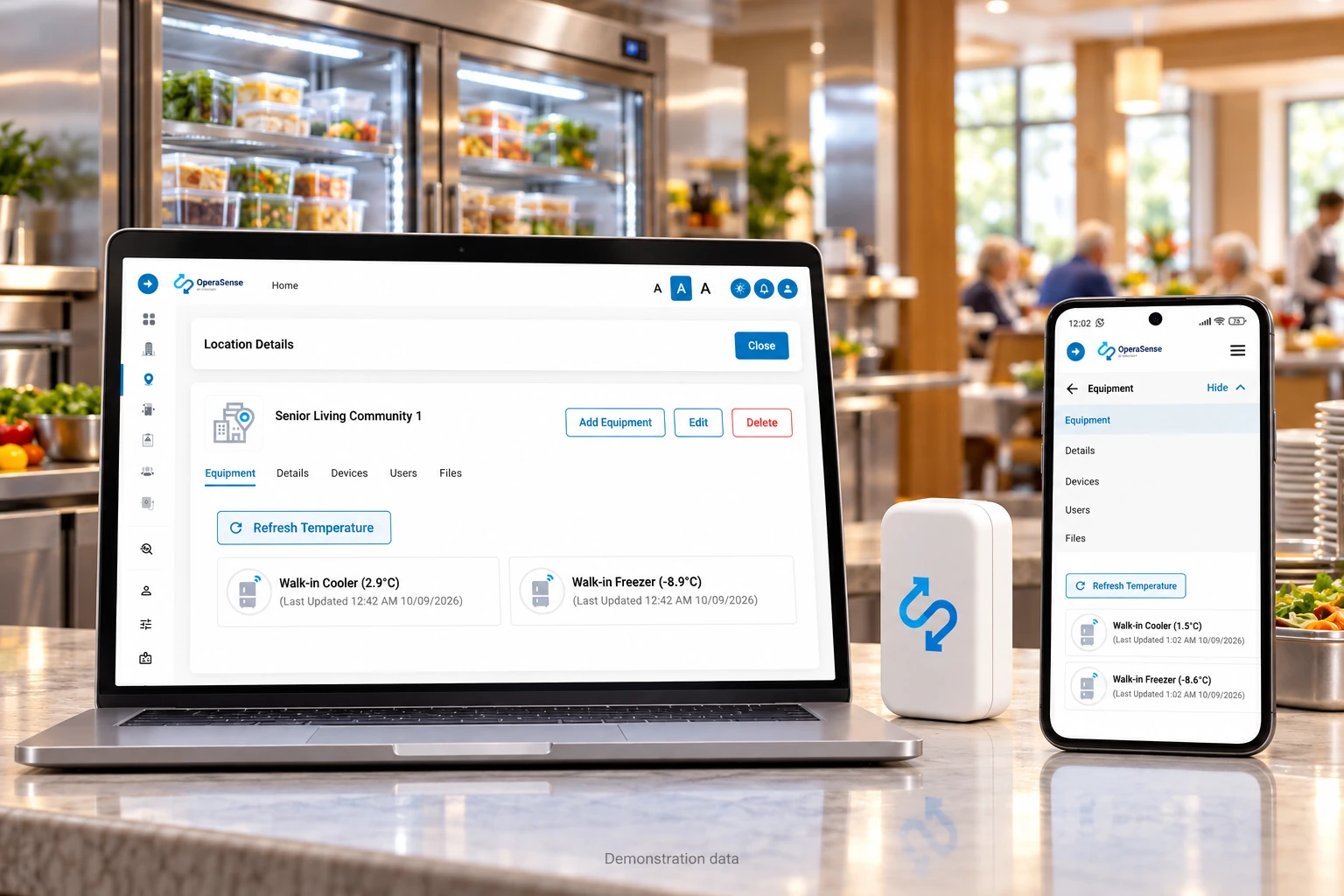
OperaSense is temperature monitoring software for senior living kitchens and care teams. Stratosfy sensors in fridges and freezers send readings through a gateway to the platform. OperaSense records the readings, detects temperatures outside your chosen range and alerts the staff assigned to respond.
Dining and kitchen staff check the unit and record what they did. Community managers follow up on alerts and review records on a phone or computer. Regional and corporate leaders can review all their communities in one place.
Who uses OperaSense in senior living?
OperaSense is built for organisations that run one or many communities.
Organisations
- Retirement and independent living communities
- Assisted living and long-term care providers
- Regional and multi-site operators
Inside each organisation, three groups use the software
- Dining and kitchen staff, who get alerts and act on them
- Dining and community managers, who check records and follow up
- Regional and corporate leaders, who review every community in one place
What does OperaSense do for senior living teams?
The software monitors, detects and alerts, then keeps the record.
- Monitors
Sensors read fridge and freezer temperatures around the clock, once every 15 minutes.
- Detects
The software spots when a unit drifts outside the range you set.
- Alerts
The right person gets an email, text or app message, with follow-up to a manager if no one responds.
- Records
Every reading and every response is saved, so you can pull a report for any community and date range.
Powered by OperaSense, Stratosfy's operational intelligence platform.
Why can temperature problems be missed between checks?
A paper log shows the temperature only when someone checks it. A fridge or freezer can move out of range overnight or between checks, leaving staff unaware until the next reading. For regional leaders, separate binders also make it hard to review temperature records across communities.
- Readings are recorded automatically between staff checks
- Problems are flagged when they happen, not at the next check
- Records are stored in one place for every community
How do teams use OperaSense each day?
- 1Morning: the dining manager opens the app and sees every unit's status for their community.
- 2During the day: if a walk-in cooler warms up, the assigned staff member gets an alert.
- 3Follow-up: staff check the unit and record what they did in the app. If no one responds, the alert goes to the manager.
- 4Week or month end: managers and regional leaders review reports across communities.
What should staff do when an alert arrives?
- Open the alert to identify the community and the fridge or freezer that needs attention.
- Check the unit and follow your organisation's food-safety or medication-storage procedures.
- Record the action you took in the app so managers can review the response.
- Managers follow up on unresolved issues. If no one responds, the alert escalates according to the settings your team has chosen.
Who gets each alert, and how long before it escalates, can be set in the web and mobile apps.
How much staff time could you save?
This calculator gives an illustrative estimate based on your own numbers. It is not a measured customer result.
Assumption: checking 4 units 3 times a day takes about 30 minutes. With OperaSense, a supervisor reviews all readings in about 5 minutes a day per community.
Illustrative only. Actual time and costs vary by community. Volume pricing for groups is not included.
What can you see and do in the software?
How do leaders see every community?
Regional and corporate leaders see the status of every monitored unit, open alerts and recent reports for all communities on one screen. They can open any community for detail.
What happens when a unit goes out of range?
The assigned person gets an alert by email, text or app notification. If the issue continues and no one responds, the alert is escalated to a manager.
How do records and reports work?
Every reading is saved automatically. Managers can pull a report for one community or several, for any date range, as a PDF or CSV. Records are kept for at least 180 days, and you can choose to keep them longer.
Is it easy for kitchen staff?
Staff use a simple mobile app. We set up the system for you. If your staff want to configure it themselves, it takes about 30 minutes.
How do the sensors and software fit together?
Each fridge or freezer has a sensor. A gateway passes its readings to OperaSense, where your team can review temperatures, alerts and records. When a reading is outside the range you set, the platform alerts the assigned staff member to check the unit and record their response.
How does a temperature reading become an alert and response?
- 1. Sensor
A Stratosfy sensor reads the fridge or freezer temperature every 15 minutes.
- 2. Gateway
The gateway sends sensor readings to OperaSense using the community's Wi-Fi connection.
- 3. Platform
OperaSense saves each reading and checks it against the temperature range your team has set for that unit.
- 4. Alert
The assigned staff member receives an email, text or app notification when the unit goes out of range.
- 5. Response
Staff check the unit and record their action in the app. Managers can review the response; unanswered alerts escalate according to your settings.
How does OperaSense help organisations with many communities?
The more communities you run, the harder it is to know whether every log is done. OperaSense puts every community on one screen, so regional leaders can:
- See which units need attention today
- Compare records across communities
- Use the same temperature ranges and alert rules everywhere
Can OperaSense records help with inspections?
Yes. Instead of searching binders, managers can pull a temperature history for any unit and date range and share it with inspectors or auditors. OperaSense supports your food safety program; it does not replace your own procedures or guarantee an inspection result.
What equipment can OperaSense monitor?
- Walk-in coolers and freezers
- Reach-in fridges and freezers
- Food storage fridges in kitchens and pantries
- Medication fridges
What do our customers say?
“OperaSense by Stratosfy helps us keep an eye on our coolers and freezers without relying solely on manual temperature checks. Our teams can see what's happening and respond when something needs attention. It gives us greater peace of mind around food safety, and I would recommend Stratosfy to other senior living operators.”
“When a temperature is flagged, I can look at the community’s fridge readings and discuss the details with the kitchen team.”
“The cooler alert gives me details to review before contacting the person responsible for the next action in our response process.”
Trusted by operators and frontline teams across restaurants, pharmacy, senior living, facilities, institutional environments, and food processing.
















Logos represent organizations and operators who use Stratosfy. These are not official brand endorsements.
How is OperaSense priced?
OperaSense is a monthly subscription for each community. It includes the software, sensors, alerts, reports and support. There is no up-front charge for devices.
- 1–5 equipment unitsUSD $49per community per month
- 6–10 equipment unitsUSD $99per community per month
- 11–20 equipment unitsUSD $199per community per month
- More than 20 unitsContact us
Multi-location pricing. Reduced per-location subscription rates are available for senior living groups, based on the number of communities signed up. Contact us for a volume quote.
How do we get started?
- 1Book a demo: we review your communities and equipment.
- 2Start with one community: we ship sensors and 1–2 gateways, set up for your units.
- 3Install: your team peels and sticks the sensors in place. It typically takes 15 to 30 minutes, depending on how many units you have.
- 4Train and expand: we train your dining and operations teams, then add communities at your pace.
Support: 24/7, North American hours.
What hardware is installed?
Small wireless Stratosfy sensors sit inside each fridge and freezer and send readings to OperaSense through a gateway. Sensors and gateways are peel-and-stick, so no wiring or professional installation is needed. Readings are sent every 15 minutes, so bandwidth use is minimal.
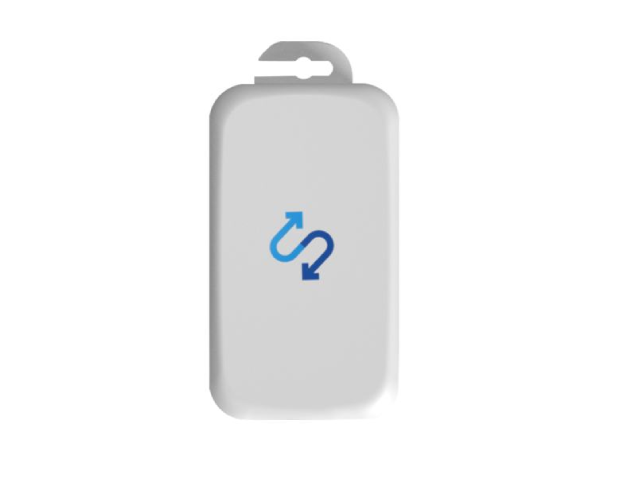
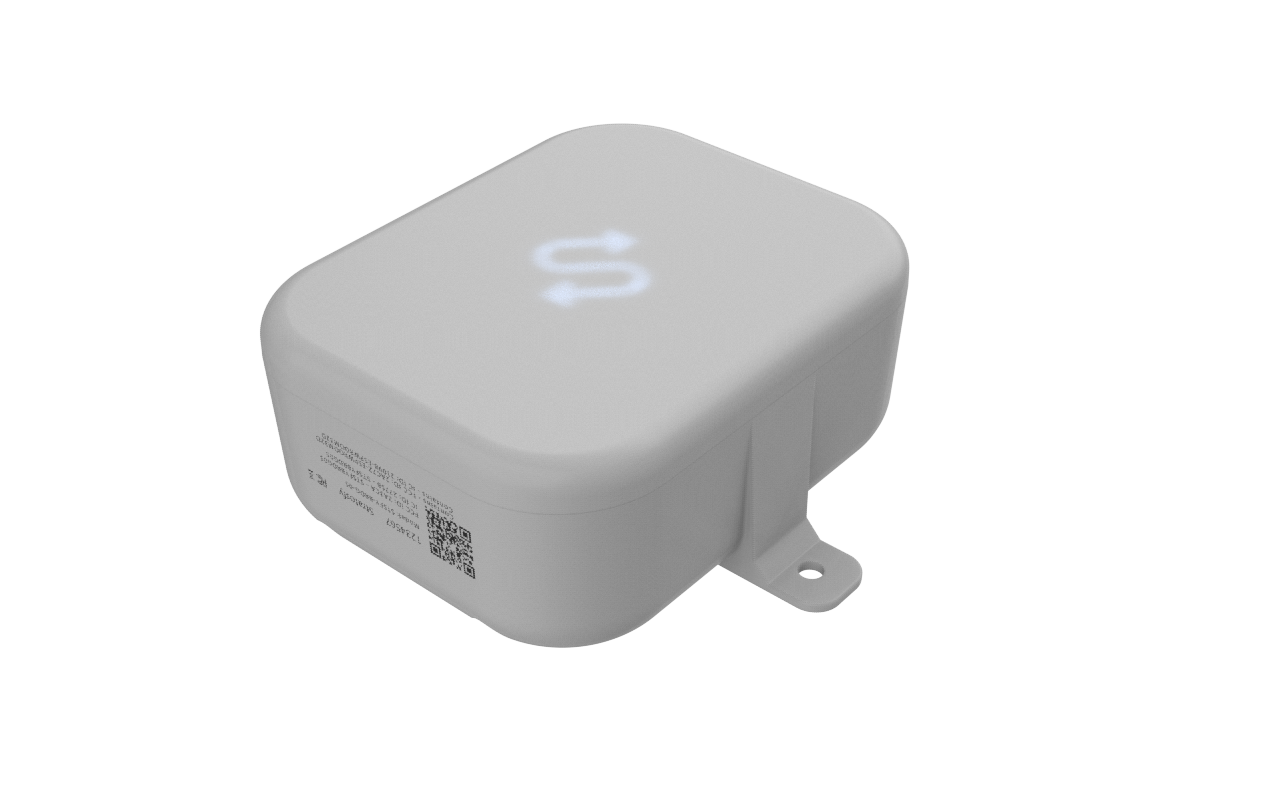
All Stratosfy devices are FCC and IC (Industry Canada) certified for deployment across North America. Temperature transmitters are calibrated and certified under ISO/IEC 17025:2017 by Transcat Calibration Laboratories (ANAB Accreditation AC-2489.24) with NIST-traceable accuracy — validated for pharmacy, clinic and healthcare cold-chain environments where auditable records are required.
OperaSense helps teams notice temperature problems sooner and keep records. It does not by itself guarantee resident safety, food safety, clinical outcomes or regulatory compliance. Your team stays responsible for checks, actions and procedures.
Senior living temperature monitoring FAQs
Short answers for dining, operations and regional leaders.
What is OperaSense?
OperaSense is subscription software from Stratosfy. It uses small sensors to monitor fridge and freezer temperatures, alerts staff when a unit goes out of range, and keeps records and reports for every community.
Who uses OperaSense in a senior living organisation?
Dining and kitchen staff respond to alerts. Dining and community managers check records and follow up. Regional and corporate leaders review every community in one place.
What equipment can be monitored?
Walk-in coolers and freezers, reach-in fridges and freezers, food storage fridges and medication fridges. Medication fridges are monitored the same way as any other fridge.
How often are temperatures recorded?
Every 15 minutes.
How are alerts sent?
By email, text message or app notification to the person assigned to that unit. If the issue continues and no one responds, the alert goes to a manager. You can set who is alerted and how long before an alert escalates.
Do we need Wi-Fi?
Yes. Each community needs a reliable Wi-Fi connection so readings can reach the software. Each community also needs 1–2 gateways, depending on the size of the building. We don't charge anything up front for devices.
What happens if the internet goes down?
Staff are notified about the outage. Readings keep being recorded and are sent as soon as the connection is back.
What reports are available?
Managers can pull temperature records for one community or several, for any date range, as PDF or CSV. Records are kept for at least 180 days, and you can choose to keep them longer.
How long does installation take?
Typically 15 to 30 minutes, depending on how many units you have. Sensors and gateways are peel-and-stick, so no professional installation is needed.
What training and support are included?
Training for dining and operations teams is included. We set up the system for you; if your staff want to configure it themselves, it takes about 30 minutes. Support is available 24/7, North American hours.
How is OperaSense priced for senior living?
Monthly, per community, in USD: $49 for 1–5 equipment units, $99 for 6–10 and $199 for 11–20. For more than 20 units, contact us. Reduced per-location rates are available for senior living groups, based on the number of communities signed up.
Does OperaSense guarantee compliance or resident safety?
No. OperaSense helps teams notice temperature problems sooner and keep records. It does not by itself guarantee resident safety, food safety, clinical outcomes or regulatory compliance.