Know which restaurant cooler needs attention, and who is following up.
OperaSense by Stratosfy is refrigeration management software for restaurants. Sensors record cooler and freezer temperatures, OperaSense alerts the right people when a unit needs attention, and incidents and reports stay in one place. It is built for store teams on shift and for owners and managers overseeing one or many locations.
From US$49 per location per month. No up-front investment. Hardware maintenance included. No activation fee. Cancel any time.
Built for the people keeping restaurants running.
Explore OperaSense with the perspective of restaurant owners, general managers, store managers, shift managers, and kitchen leaders.





Logos represent organizations and operators who use Stratosfy. These are not official brand endorsements.
Hear from restaurant operators
Watch restaurant operators describe how they use Stratosfy in their day-to-day work.
Who is OperaSense for?
Restaurants where a cooler or freezer problem can be missed between manual checks, especially when managers are not on site. OperaSense supports the people on shift and the managers overseeing several locations.
What can my team do in OperaSense?
Five workspaces cover the daily work: checking equipment, following up on incidents, managing notifications, producing reports and reviewing locations.
Equipment
Review temperature readings and configure thresholds, alert buffers, and equipment schedules.
Incidents
Review open issues and use configured reminders, escalation, and closure rules.
Notifications
Choose delivery channels and schedules, then review notification history.
Reports
Generate PDF and Excel reports, review recorded anomalies, and schedule emailed reports.
Locations
Review connected restaurant information and filter reports by business, brand, location, or equipment.
What changes for a restaurant team?
Reduce repetitive temperature paperwork
Automatically recorded readings and downloadable reports reduce the need to compile temperature information by hand. Keep your required checks and food-safety responsibilities in place while making records easier to access.
Keep unresolved incidents in view
Use repeated reminders and timed escalation to support follow-up. Choose whether an incident closes when temperatures return to range or remains open for manual resolution.
Prepare records without rebuilding the history
Select a date range and download reports in PDF or Excel. Schedule reports to arrive by email so routine reporting does not depend on someone remembering to generate it.
Give managers a shared view
Bring refrigeration information from connected restaurants together and filter reports to the business, brand, location, or unit being reviewed.
Configure alerts around your operation
Set equipment-specific thresholds and buffers, and let users choose notification channels and schedules. Add critical alert thresholds that bypass the normal buffer for selected equipment.
Temperature records throughout the day.
A reading is scheduled every 15 minutes: 96 scheduled readings per equipment per day. Actual captured records depend on monitoring availability and connectivity.
How much time does temperature logging take across your restaurants?
Enter your current checking routine to estimate the staff time allocated to temperature logging. Add the minutes you expect to remain after deployment to explore a potential scenario.
Default values are an illustration, not customer evidence. This estimate uses your inputs. It is not a promised saving or a measured customer result. Staff capacity released does not necessarily reduce payroll. Your team remains responsible for required checks and corrective action.
How does OperaSense monitor, alert and report?
Equipment monitoring and controls
Give each refrigeration unit settings that fit its operating requirements.
- Temperature records every 15 minutes.
- Individual high and low temperature thresholds.
- Configurable alert buffers before normal alerts are generated.
- Operating hours for each equipment, with temperature alerts suppressed outside those hours.
- Multiple busy-time windows by equipment and day; anomaly detection and alert generation pause during these windows and resume for subsequent readings afterward.
- Celsius or Fahrenheit consistently across dashboards, equipment pages, alerts, reports, and notifications.
Busy-time and operating-hour settings suppress monitoring actions as described; they do not establish safe food temperatures. Configure them deliberately.
Alerts and notification preferences
Choose how your team is notified and when routine notifications reach them.
- Email, SMS, and push notifications, with multiple channels selectable per user.
- Notification schedules by day of week and time window.
- Critical temperature thresholds for selected equipment that bypass the normal alert buffer.
- A configured store phone number for automated voice calls on critical Instant Alerts.
- Urgent voice calls may override normal notification schedules where configured and supported.
Critical alerts bypass the normal buffer; delivery still depends on connectivity and the notification channel. Voice calls are for critical alerts only.
Incident management
Support consistent follow-up from an open temperature issue through closure.
- Repeat notifications at a configurable reminder frequency while an incident remains unresolved.
- Escalate an unresolved incident after a configured period to a designated user.
- Automatically close incidents when temperatures return to the acceptable range, or require manual resolution.
Returning to temperature range is a closure condition, not proof that food is safe or corrective work is complete.
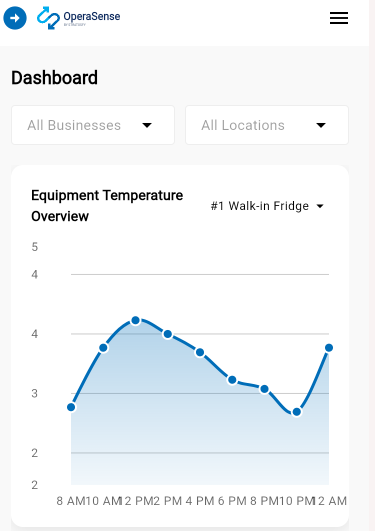
Records and automated reporting
Configure how temperature records are assembled and make reports accessible to the people who need them.
- Reporting windows configured by location, including AM/PM or specific times.
- Reading-selection policies within a reporting window: Earliest Reading, Latest Reading, First Safe Reading, or Last Safe Reading.
- On-demand reports for a selected date range, filtered by business, brand, location, and equipment.
- PDF and Excel downloads.
- Anomaly reports covering recorded anomalies within the selected date range.
- Scheduled reports generated and emailed for a business, brand, location, or equipment.
Reporting selections do not replace a review of excursions or required food-safety procedures. Choose policies that fit your applicable requirements.
Management visibility and accountability
Review refrigeration information across locations and see the notification trail behind an incident.
- Business, brand, location, and equipment reporting filters.
- User notification history showing who was notified and the delivery channel: email, SMS, push, or voice.
- Information to support operational reviews and follow-up with local teams.
Notification history describes notification activity. It does not by itself prove acknowledgement, corrective action, or successful delivery.
Who does what when a cooler needs attention?
Store staff and shift leads
Receive a notification, identify the affected unit, investigate, and follow the restaurant’s response procedure.
Store managers
Review readings and incidents, configure equipment and notification settings, follow up on open issues, and access reports.
General managers
Review restaurant information, monitor unresolved incidents and escalation, and prepare records for operational reviews.
Owners and operations leaders
Review connected locations, receive relevant escalations, and use filtered or scheduled reports to stay informed.
How it works: sensor → gateway → platform → alert → response
- 1Sensor
A sensor inside the cooler, freezer or prep unit takes a temperature reading, scheduled every 15 minutes.
- 2Gateway
A gateway sends the sensor readings to OperaSense through the restaurant’s network.
- 3Platform
OperaSense records the reading and checks it against that unit’s thresholds, alert buffer and schedule.
- 4Alert
If attention is needed, configured users are notified by email, SMS or push. Critical Instant Alerts can also trigger a voice call.
- 5Response
Staff check the unit and follow your procedure. Reminders and escalation keep unresolved incidents in view until closed.
Steps depend on configured operating hours, busy-time windows, connectivity, and notification settings.
How restaurant teams use OperaSense.
Hear restaurant operators describe their day-to-day use of Stratosfy in their own words.
Visibility across locations and time spent gathering store updates.
Open-incident oversight, reminders, escalation, and follow-up.
Frontline alerts, logging work, and documentation.
Equipment settings, shift response, and logging work.
Incident oversight, reporting, and escalation.
Alert delivery and actual shift response.
Kitchen routines, temperature documentation, and reporting.
Owner visibility and coordination while away from the restaurant.
Owner access, alerts, and team coordination.
Multi-location review, reporting consistency, and manager workload.
Logos represent organizations and operators who use Stratosfy. These are not official brand endorsements.
Where do the sensors go?
Stratosfy sensors mount inside reach-ins, prep coolers, under-counter units and walk-ins, and send readings to the OperaSense app on phone, tablet and computer.
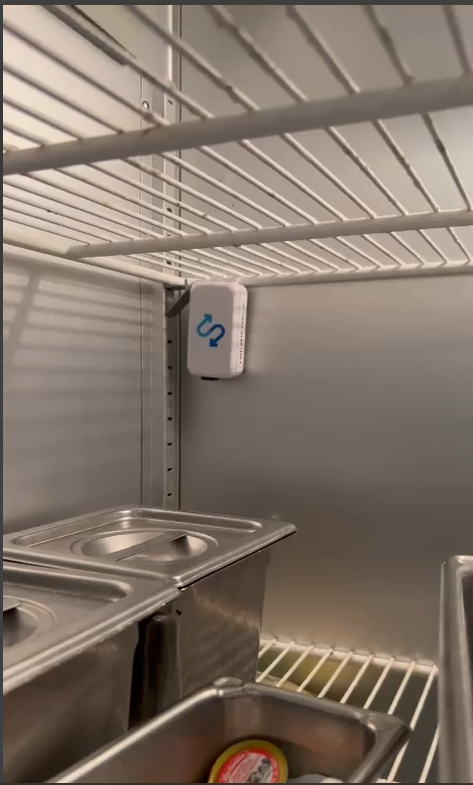
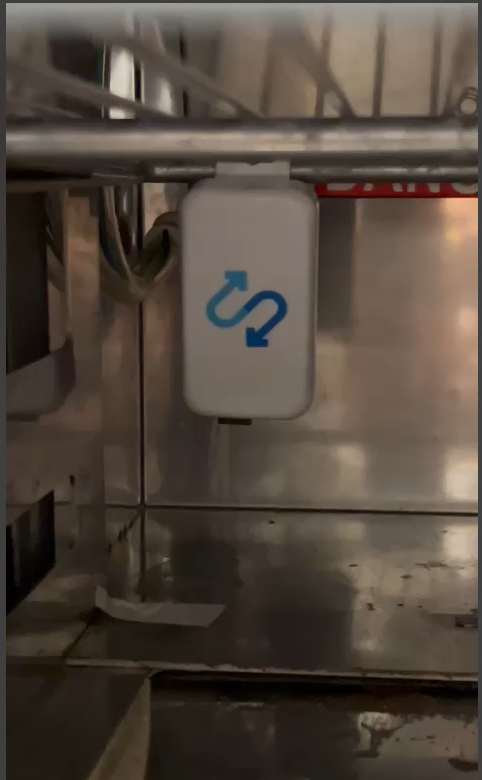
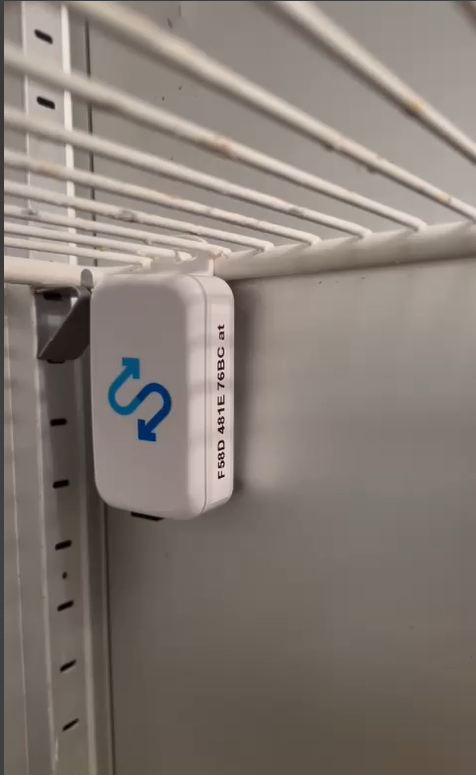
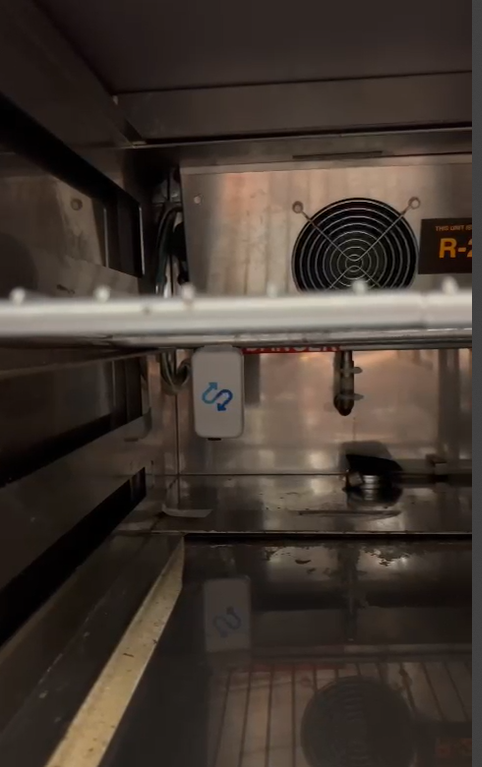
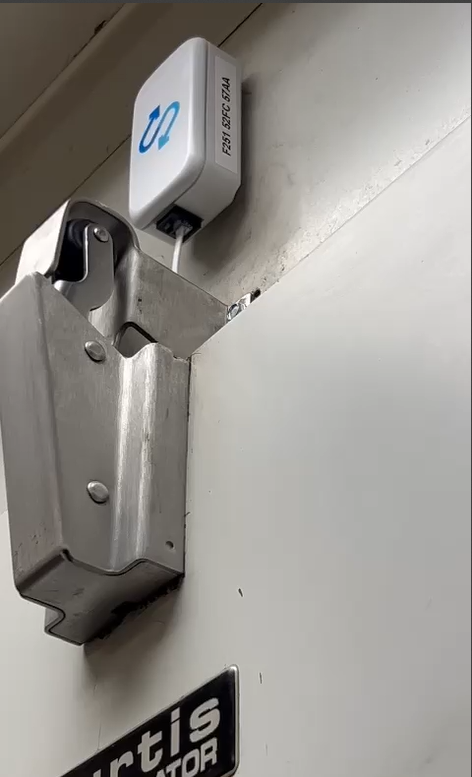
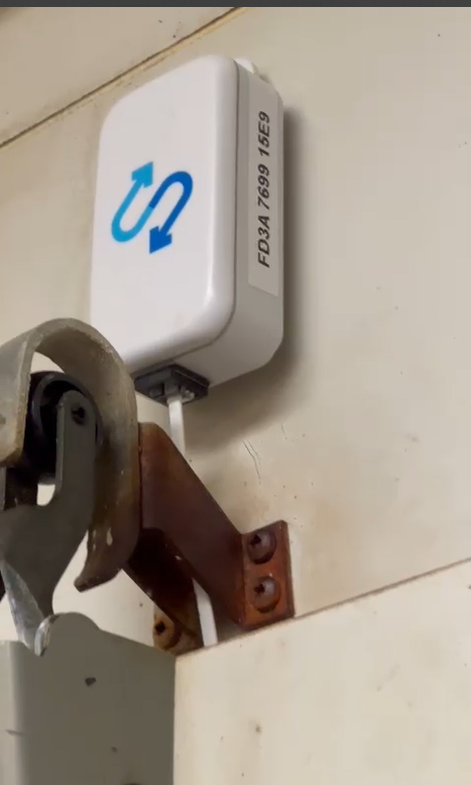
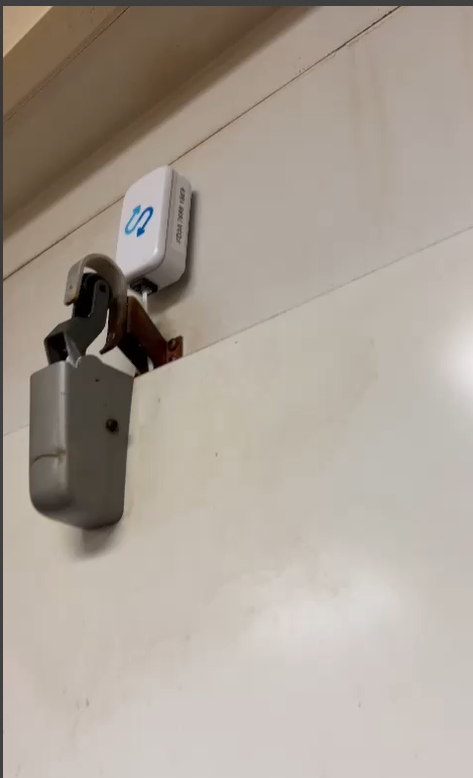
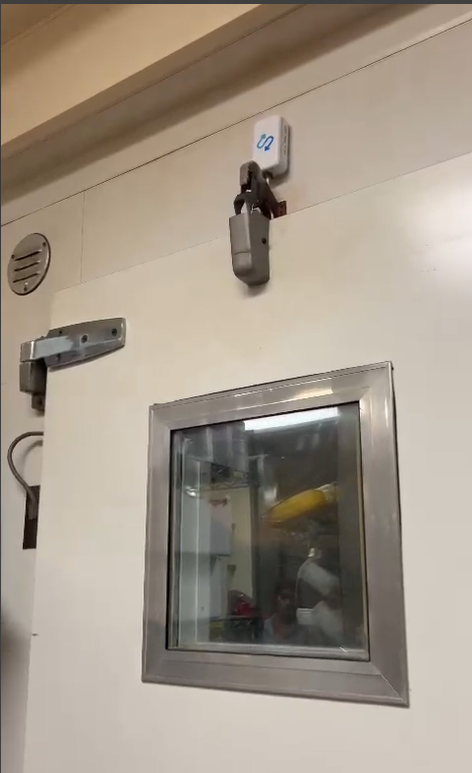
Photos from operating restaurant installations.
How do we get started?
Choose the equipment and locations you want to monitor, configure the platform around your operation, and agree a rollout pace that fits your restaurants.
- 1Select your subscription
Match the plan to the equipment at each location.
- 2Connect your equipment
Arrange sensor placement and gateway connectivity for the installation.
- 3Set up the platform
Configure thresholds, buffers, reporting settings, notification preferences, reminders, and escalation.
- 4Bring your team in
Establish who receives alerts and who follows up. Confirm training and access arrangements during onboarding.
- 5Expand your rollout
Add locations under the agreed commercial and deployment arrangements.
How much does it cost?
Choose a plan based on the number of refrigeration equipment monitored at each location. All prices are in US dollars, per location, per month.
- No up-front investment.
- Hardware maintenance included.
- No activation fee.
- Cancel any time.
Multi-location pricing
Reduced per-location subscription rates are available for restaurant chains and franchise groups, based on the number of locations signed up. Contact us for a volume quote.
What hardware is involved?
Temperature sensors capture refrigeration readings. A gateway connects the sensor information to OperaSense through the site’s network, bringing monitoring, alerts, incidents, and reports into your software workspace.
Hardware is included with no up-front investment, and hardware maintenance is included in the subscription. There is no activation fee.
Frequently asked questions
Trusted by restaurant operators
Franchise groups and independent restaurants use OperaSense to stay ahead of refrigeration issues and keep records ready.
Seeing the temperature history helps me understand what happened before an alert, rather than looking at just one reading from the fridge.
Brijesh
Store Manager — Domino’s Franchise Operator
The fridge temperatures and notifications give me something specific to review when a unit in the store needs a closer look.
Nicole
Store Manager — Wendy’s Franchise Operator
I can see when a temperature incident closes because the readings have returned to the set range, and look back at its history.
Milan
Store Manager — Domino’s Franchise Operator